We Analyzed 200+ Saleshandy Reviews: Here’s Our Findings

If you're looking at Saleshandy, you're probably considering it as a cold email tool to scale outreach.
It's often mentioned as a simple and affordable option, but is it really the best choice in 2025?
You might be wondering:
- Does Saleshandy deliver strong enough results once you start scaling?
- Is the pricing still competitive compared to newer tools?
- How easy is it to use for building and managing campaigns?
- And are there better alternatives if you need more advanced personalization or deliverability?
In this blog, I'll break down everything you need to know about Saleshandy - its features, pricing, pros and cons, and what real users are saying.
By the end, you'll know whether Saleshandy is the right cold outreach platform for you in 2025, or if another tool fits your goals better.
Here are the key review takeaways:
Key Takeaways
- Saleshandy is a cold email outreach tool with automation, tracking, and basic deliverability support.
- Saleshandy reviews show it works best for beginners and small teams running simple cold email campaigns.
- Users like its easy setup, automation, personalization, and fair pricing.
- Common complaints include limited integrations, weak warm-up, basic reporting, and issues with scaling.
- Pricing starts at $25/month (billed annually), with higher tiers mainly adding more sending volume.
- Deliverability is the main concern, as inbox placement isn't always reliable at scale.
- Overall, Saleshandy is good for small campaigns but larger teams may outgrow it quickly.
What is Saleshandy?
Saleshandy is a cold email outreach and tracking tool designed to help you send personalized emails at scale.
Saleshandy is an AI-powered cold email platform designed to automate personalized outreach and improve lead generation.

Instead of blasting generic campaigns, it lets you create automated sequences, track opens and clicks, and manage follow-ups, all from one place.
Here’s what it’s mainly used for:
- Cold email campaigns – set up sequences that send follow-ups automatically until a reply comes in.
- Email tracking – see when someone opens your email or clicks a link.
- Templates – save and reuse email templates for faster outreach.
- Basic deliverability support – tools to help keep your emails out of spam (though users say this is limited compared to dedicated deliverability platforms).
- Built-in B2B lead finder – access over 700 million contacts and 60 million companies for efficient lead generation.
In short, Saleshandy gives you an easy way to start cold outreach, track results, and grow your pipeline, with strong capabilities for lead generation and personalized outreach, but it may feel limiting once you scale.
Saleshandy Tools and Key Features for Cold Email Outreach
Saleshandy offers a set of tools and key features designed to make cold email outreach easier, more organized, and trackable.
Saleshandy Tools for Cold Email Outreach
Saleshandy provides a set of tools to make cold outreach easier and more manageable:
- TrulyInbox – Manage multiple inboxes to spread out sending and reduce the risk of getting flagged.
- Inbox Radar – Tracks whether your emails land in Primary, Promotions, or Spam.
- Built-in Lead Finder – Use the built-in lead finder to find leads and add verified business emails to build prospect lists faster, with access to over 700 million contacts and 60 million companies globally.
- AI Email Sequence – Auto-generates subject lines and follow-ups to speed up campaign setup.
- Free Email Verifier – Checks if email addresses are valid, helping cut down on bounces.
- Deliverability Checker – Tests if your setup is inbox-ready before sending campaigns.
- Sequence Scoring – Rates your email sequences to show how effective they might be.
- LinkedIn Email Finder – Extracts emails from LinkedIn profiles for quick prospecting.
These tools make Saleshandy an all-in-one platform for starting and managing outreach, though some features feel more “basic” compared to specialized tools.
Here are the Saleshandy Key Features
Beyond the tools, a few features stand out in Saleshandy reviews as the main reasons people try the platform:
- Automated Follow-ups – Follow-ups are automated based on recipient behavior, enhancing engagement without sacrificing personalization. Emails keep sending until a reply comes in, saving time and making sure no lead is missed. Setup is simple, but workflows are limited.
- Real-time Tracking – Saleshandy includes features for email tracking, allowing users to monitor open and click rates in real-time. Alerts on opens and clicks help you follow up faster and spot engaged leads quickly.
- Scalable Personalization – Merge tags add details like name or company to bulk emails, helping you create personalized messages at scale. Works fine for small campaigns but lacks advanced personalization.
- Sender Rotation – Spreads emails across inboxes to protect deliverability, though scaling it can get tricky.
- Sequence Score – Rates your campaigns for structure and quality. Helpful for beginners, but too basic for advanced senders.
- AI Sequence Builder – Saleshandy features an AI Sequence Copilot that helps users quickly create personalized email sequences. It creates subject lines and follow-ups automatically. Great for quick setup, though edits are often needed to keep emails natural.
These features make outreach easier and more organized, but some feel basic if you’re running larger or more complex campaigns.
Pros of Saleshandy (From Real User Reviews)
After going through 200+ Saleshandy reviews, here’s what people liked the most:
- Simple and Easy to Use
The dashboard is clean and not overwhelming. Most users said they could set up their first campaign without much effort, even if they weren’t very technical. You can get started in just a few clicks, making it accessible for everyone. Saleshandy is designed for users of all experience levels, making it beginner-friendly and easy to use.

- Fast Campaign Setup
Cold email sequences with follow-ups and personalization run smoothly. One user even shared that they landed 5 new clients in just 3 weeks after switching to Saleshandy.

- Helpful Automation and AI Tools
Features like the Sequence Copilot and Lead Finder save time and make targeting easier. People running multiple campaigns said these tools helped them stay organized.

- Integration with Gmail
Uploading leads and running campaigns straight from Gmail feels seamless. Users liked not having to jump between too many platforms.

- Support That Actually Helps
The support team got a lot of positive mentions for being quick, friendly, and helpful. Some users also pointed out the active Saleshandy community as a bonus. - Good Value for Money
Most people agreed the pricing is fair compared to other cold outreach tools. You get the essentials without paying enterprise-level prices.
The mix of simple setup, automation, and deliverability support are the highlights that come up again and again.
Cons of Saleshandy that are Critical (From Real User Reviews)
While Saleshandy gets praise for being simple and affordable, users also pointed out a few critical drawbacks:
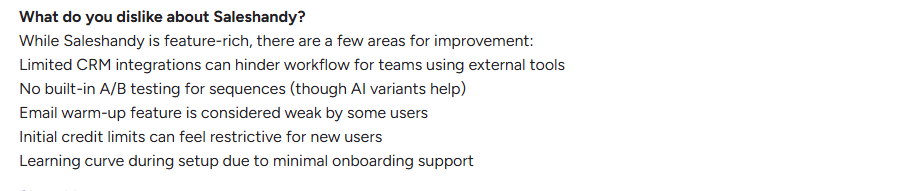
- Limited Integrations
Many reviews mentioned the lack of deep CRM integrations. Saleshandy also has limited customization options and often requires users to rely on Zapier to connect with other tools. If your team relies on external tools, this can slow down workflows.
- Weak Email Warm-up
Saleshandy does include an email warm-up, but users felt it isn’t strong enough compared to dedicated tools. This makes inbox placement less reliable at scale. - No Native A/B Testing
You can’t directly run A/B tests on sequences. While AI variants help, users wanted a built-in option for testing subject lines and copy. - Reporting Delays
During peak hours, there can be small delays in reporting sync. It’s not a dealbreaker, but some teams noticed it. - Basic LinkedIn Integration
Saleshandy offers LinkedIn features, but reviews say they feel too basic compared to specialized LinkedIn tools.

- Clunky Navigation
A few users felt there were too many steps for simple tasks, like editing a contact. They wished the interface allowed quicker changes.

- Template and List Management
Templates can only be created from the template page, not directly inside campaigns. Users also wanted easier list management and warnings if a contact is missing key details.
- Scaling and Agency Limitations
Scaling large, complex campaigns is challenging as Saleshandy lacks advanced integrations and reporting necessary for high-volume outreach. For agencies managing outreach for multiple clients, these limitations make it difficult to handle several clients simultaneously or customize workflows for each client.

How Much Does Saleshandy Cold Emailing Cost in 2025?
Saleshandy has four main saleshandy pricing plans for cold emailing, each designed to fit different needs and budgets.
The cost changes depending on whether you pay monthly or annually. (Annual billing saves you about 30%.)
Every paid plan includes unlimited email warm-up through TrulyInbox, and users can connect unlimited email accounts. Saleshandy provides unlimited email warm-up with every paid plan, starting at $25/month billed annually, which is regarded as value for money by users.
Add-on: Email verification – $79 for 25,000 recipients.
Starter and Pro plans offer fair value for individuals and small teams, with the Outreach Starter plan starting at $36 per month for beginners and small teams. All plans allow you to scale your outreach with unlimited prospects, adding flexibility as your needs grow.
But as you move into Scale and Scale Plus, you’re mostly paying for higher sending limits
If your deliverability setup isn’t strong, those extra emails may not translate into extra results.
Saleshandy Deliverability Compared to Alternatives
Here’s what real Saleshandy reviews say when it comes to inboxing:
- Inbox placement isn’t always reliable
Emails sometimes land in spam, especially as sending volume increases. This is often due to spam filters, which can be triggered if sender reputation is not maintained or if proper email infrastructure is not set up. Ensuring correct DNS records (SPF, DKIM, DMARC) is crucial for optimal email deliverability and achieving high inbox placement. - Scaling multiple inboxes is tricky
Managing many accounts can get messy, while alternatives often provide smoother inbox rotation. Maintaining sender reputation across multiple accounts is essential for high inbox placement. - Domain warm-up feels weak
Saleshandy provides unlimited email warmup with every paid plan through a partnership with TrulyInbox. However, the email warm-up feature relies on third-party partners and some users feel it is not robust enough for large-scale campaigns.

- Limited deliverability insights
Alternatives usually give extras like inbox placement tests, blacklist monitoring, and stronger spam detection to help avoid spam filters and improve email deliverability.
👉 Quick Takeaway:
Saleshandy offers high deliverability, which is essential for successful cold email outreach, but deliverability issues can occur as sending volume increases. Saleshandy works fine for small campaigns, but if you need consistent high inbox placement at scale, alternatives with stronger warm-up and deliverability tools give you better results.
A Quick Look at Saleshandy’s Integrations
Saleshandy allows users to connect Saleshandy with popular platforms, including CRM systems, email services, and workflow automation tools.
While it offers core integrations, users often rely on Zapier—a third party tool—to connect Saleshandy with other apps for advanced automation.
This helps reduce the need for juggling multiple tools, but some users may still need to use multiple tools for more complex workflows due to limited native customization options.
Where It Connects Well
- CRMs: HubSpot, Salesforce, Zoho, Pipedrive → keeps leads and deals updated without manual entry.
- Email Providers: Gmail and Outlook/Office 365 → send from your own inbox with tracking.
- Automation: Zapier, Integrately, Pabbly → link Saleshandy with thousands of apps to move data automatically.
- Forms & Webhooks: Add leads from Google Forms or your website directly into campaigns.
What Integrations Saleshandy Users Struggle With
- Some integrations feel too basic. For example, LinkedIn support is limited compared to specialized tools.
- Syncing data is not always instant; there can be delays during peak hours.
- Setup can feel confusing for non-technical users since there’s little onboarding guidance.
Takeaway: Saleshandy covers the core integrations most teams need: CRM, email, automation, and forms.
They’re good enough for everyday outreach.
Who Should Use Saleshandy (And Who Should Not)
Based on user feedback and our analysis, here’s where Saleshandy makes sense, and where it doesn’t.
✅ It’s Best Fit For
Saleshandy works well for small setups and simple outreach needs.
❌ It’s Not Ideal For
Saleshandy struggles when the outreach gets bigger or more complex.
Saleshandy is great for beginners and small campaigns, but not built for large-scale outreach or advanced deliverability needs.
Mailforge is a Better Alternative to Saleshandy
Mailforge is a cold email and deliverability platform built for teams that have outgrown Saleshandy’s limits.
While Saleshandy focuses on sending more emails, Mailforge focuses on making sure those emails actually reach the inbox.
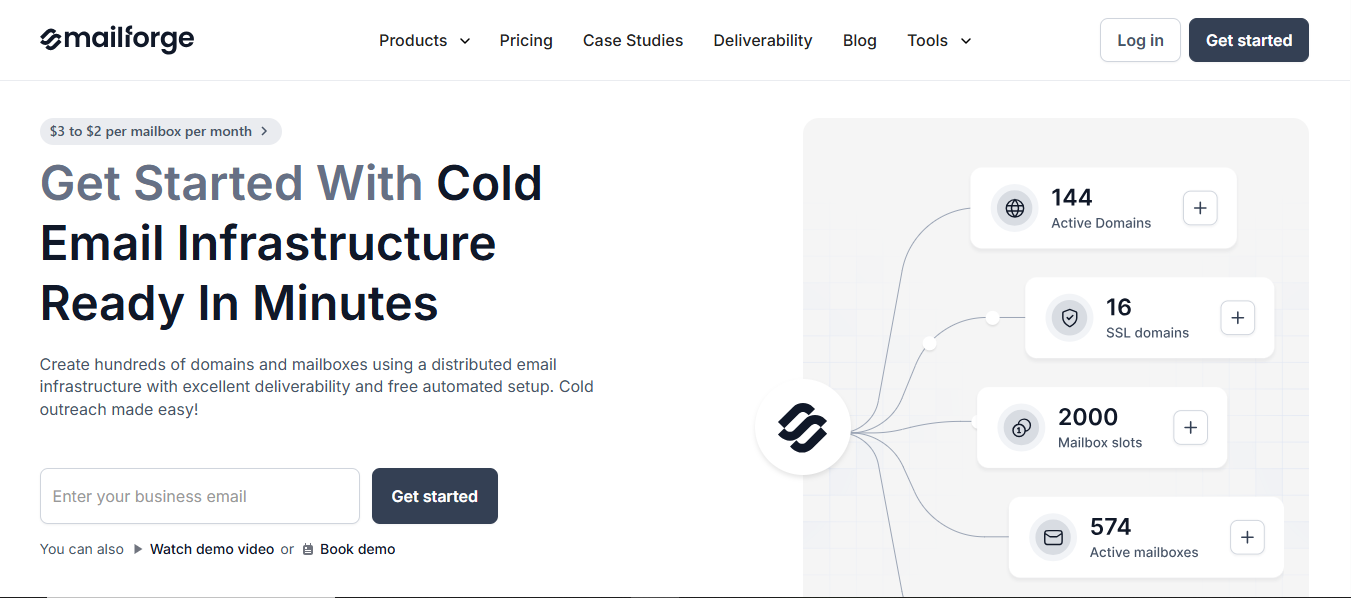
It combines automated warm-up, inbox rotation, domain reputation monitoring, and inbox placement testing in one place, features that Saleshandy misses.
In short, Saleshandy offers basic outreach, while Mailforge gives you the email infrastructure to scale safely without sacrificing deliverability
Key Features of Mailforge
- Automated email warm-up across all connected inboxes
- Inbox rotation for safe scaling
- Domain reputation monitoring and blacklist checks
- Real-time inbox placement testing
- Detailed deliverability and bounce reporting
- Seamless setup with Google Workspace & Microsoft 365
Mailforge offers transparent pricing plans.
If you pay yearly, it’s $13 per mailbox each month (with a minimum of 10 mailboxes).
If you’d rather pay month to month, it’s $15 per mailbox.
There are also small add-ons like SSL or domain masking for about $2 per domain.
Why is Mailforge the Best Alternative to Saleshandy?
👉 Final Word: If you’re running small campaigns, Saleshandy does the job.
But if you care about inbox placement and want to scale without headaches, Mailforge is the safer choice.
Is Saleshandy Worth the Price Compared to Competitors?
Saleshandy is useful if you’re just starting with cold outreach.
With a Saleshandy account, you can automate campaigns, manage replies, and gain access to a large lead database. Users gain access to a built-in B2B lead finder with over 700 million contacts and 60 million companies, streamlining your lead generation and outreach efforts.
But as soon as you scale, deliverability becomes the bottleneck.
Mailforge fixes that gap:
🔥 Cold email infrastructure built for scaling safely
🔥 $2–$3 per mailbox per month, far cheaper than Google or Outlook
🔥 Automated SPF, DKIM, DMARC setup in minutes
🔥 Premium warm-up and mailbox rotation to keep inbox placement high
In short, Saleshandy helps you launch outreach, but Mailforge gives you the infrastructure to keep it landing in inboxes as you grow.
👉 For teams that want both automation and reliable deliverability, use Mailforge with Salesforge.
If you’re unsure where to begin, start by testing Mailforge with a few domains.